Install Uoink.
Install the helper, add the Chrome button, then click Uoink on a video. The helper bundles Python, yt-dlp and ffmpeg. No command line needed.
Windows 10/11 / About 519 MB / No admin rights needed
On a Mac? Download the Mac preview for Apple Silicon (macOS 15 or later), then follow the Mac steps.
 GitHub Releases
Chrome (tested)
Chrome Web Store pending
GitHub Releases
Chrome (tested)
Chrome Web Store pending
One helper. One extension. Then the U button.
Follow the steps for your computer. Both end with the same Chrome button.
-
Windows installer.
Windows 10/11 / Uoink-Setup-3.12.0.exe / about 519 MB
The helper installs to
%LOCALAPPDATA%\Uoinkand runs in user space. Along with Python, yt-dlp and ffmpeg, it includes SQLite, the local MCP server and the uoink command, and it serves the loopback server on port 5179.- Download Uoink-Setup-3.12.0.exe. The release page lists its SHA-256.
- Run it. The installer is unsigned. Windows SmartScreen will show a warning. Choose More info → Run anyway.
- Load the extension. In Chrome, open
chrome://extensions, turn on Developer mode and click Load unpacked. Select the%LOCALAPPDATA%\Uoink\extensionfolder. - Click the puzzle-piece Extensions icon in the toolbar and pin Uoink so the Uoink button stays visible.
-
Mac preview.
Apple Silicon / macOS 15 or later / Uoink-3.12.0-macos-arm64.dmg
The Mac build runs on Apple Silicon Macs with macOS 15 or later. Intel Macs are not supported. The app and the DMG are signed with a Developer ID, notarized by Apple and stapled, so macOS asks only its standard question about apps downloaded from the internet. No security override is needed.
- Download Uoink-3.12.0-macos-arm64.dmg. The release page lists its SHA-256.
- Open the DMG and drag Uoink to the Applications shortcut.
- Eject the mounted disk, then open Uoink from Applications and confirm the "downloaded from the internet" prompt.
- Load the extension. Open Uoink once so it creates the extension folder. In Chrome, open
chrome://extensions, turn on Developer mode and click Load unpacked. The picker hides~/Library, so press ⌘⇧G, paste the path that the dashboard's Get the extension card copies (~/Library/Application Support/Uoink/extension) and press Return. - Click the puzzle-piece Extensions icon in the toolbar and pin Uoink so the Uoink button stays visible.
If macOS reports an unidentified developer, a damaged app or malware instead, don't open it. Report it with the DMG's SHA-256.
For Claude Desktop, open uoink-3.12.0-macos.mcpb from the same release, not the Windows bundle, and select the installed Uoink.app in its Uoink app setting. For other AI clients, run
uoink connect <client>; see agent setup.Not on the Mac yet: Uoink doesn't update itself, so quit Uoink and close MCP clients before replacing the app with a new version. Library mirroring is unavailable. macOS still credits Uoink's alerts to Script Editor.
Download for Mac -> -
Chrome button.
Chrome (tested); other Chromium browsers such as Edge and Brave may work but are not tested.
The extension adds capture buttons directly to supported web pages. It communicates locally with the helper and skips broad history permissions. Chrome Web Store approval is pending, so for now you load it from the helper's folder, as in the steps above.
After updating the helper, reload the extension once from your browser’s extensions page. If its ID changes to the pinned
bkcapfidedhfcjpmjabeopfbcjcbmdmi, reapply your extension preferences. Your saved captures are unaffected.
What happens when it's running.
The helper starts in the background. The extension checks localhost. When both are green, the Uoink button appears on supported pages.
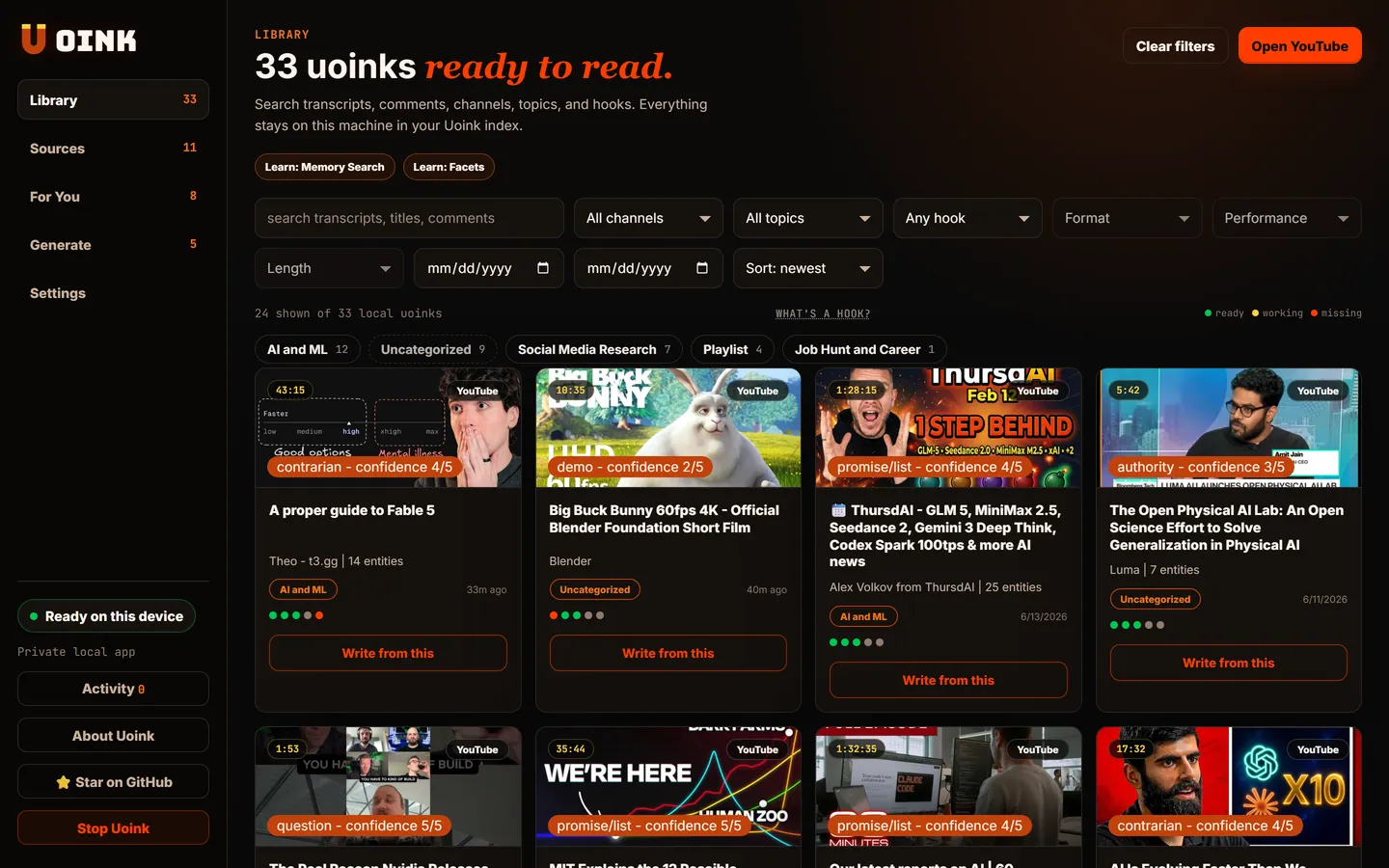
- 01
Click Uoink.
Open a YouTube video and click the Uoink button. Uoink also saves X posts and videos, podcasts, Reddit threads and web articles. Sources shows how to capture each one.
- 02
Tray status.
The helper sits in the tray and opens the local dashboard when you need logs, settings, or recent jobs.
- 03
Local files.
Captures write to your Uoink folder and into a local SQLite index. Nothing uploads to Uoink because there's no Uoink cloud.
- 04
AI handoff.
Paste into Claude or ChatGPT, or skip the clipboard and let your MCP client call Uoink directly.
Optional: check from a terminal.
You don't need a terminal to install or use Uoink. This check is for AI agents and troubleshooting. On Windows, the installer's Add the uoink command to PATH for AI agents option is checked by default. Leave it on, then open a new terminal and run uoink status. On a Mac, the command ships inside the app, and agent setup shows how to link it. Agents can follow the agent installation steps.
The boring questions that matter.
What operating systems are supported by Uoink?
Windows 10/11, plus a Mac preview for Apple Silicon (macOS 15 or later).
Does the helper require administrator permissions?
No. The helper runs in user space. On Windows it installs under %LOCALAPPDATA% and starts from the current-user startup entry.
What browsers support the extension?
The extension is Manifest V3 and is built and tested for Chrome. Other Chromium browsers such as Edge and Brave may work but are not tested. Since Chrome Web Store approval is pending, sideload the extension manually from the folder Uoink places on your machine.
Why does Uoink need a desktop helper?
The browser extension can't run yt-dlp, ffmpeg, Whisper, SQLite indexing, or the local MCP server by itself. The helper does that work locally so your corpus never has to pass through a Uoink cloud.