Features / Workspace
in flightWriting studio tool
Generate tweets, threads, and blog posts grounded in your captured video corpus.
 in flight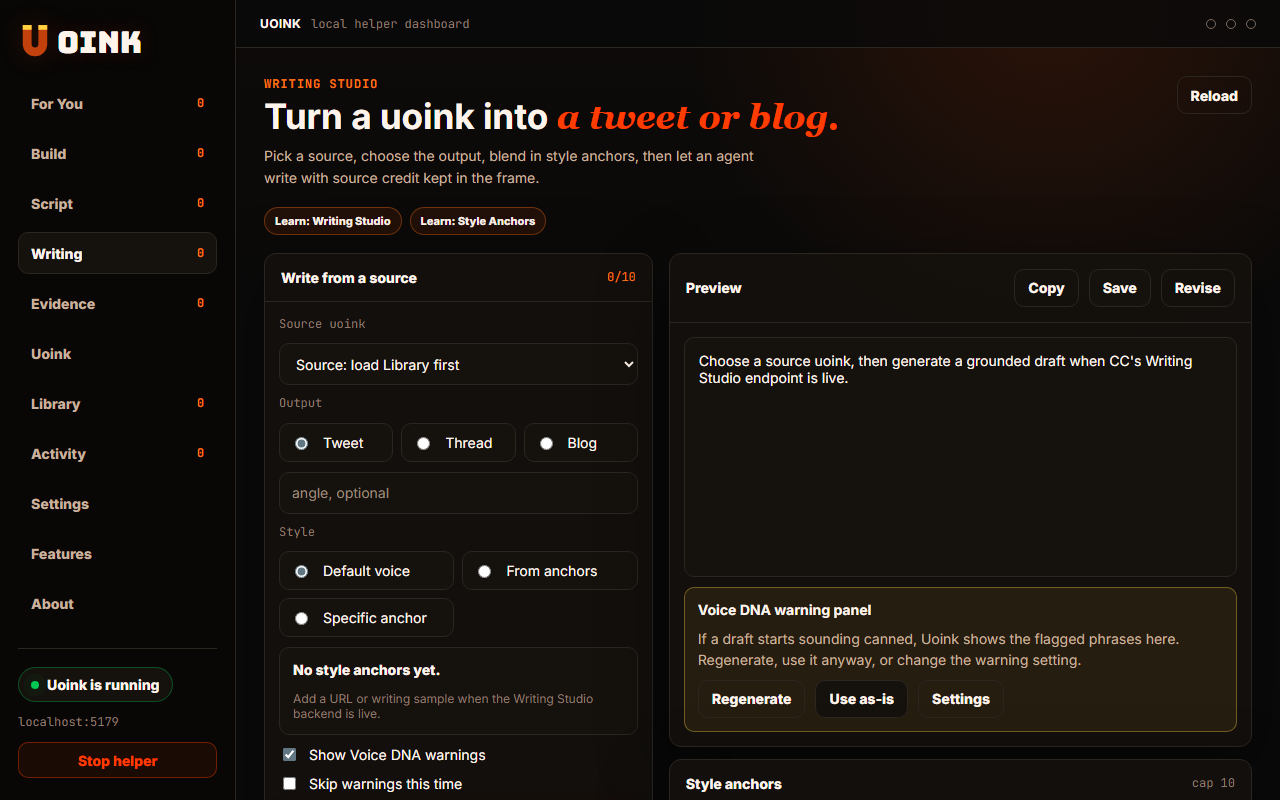
The user-facing part.
Turn captured videos into short-form writing. The Writing Studio generates tweets, threads, and blog articles directly from your saved files. It references the source transcript to keep your summaries factual. Every draft includes a citation referencing the creator and the source link, helping you credit authors when sharing.
Run the loop.
- Open the Writing Studio tab in your dashboard.
- Select a video from your library to use as the source.
- Choose your output mode: Tweet, Thread, or Blog.
- Select your style mode and anchors.
- Click Generate to write the draft.
How Uoink handles it.
The helper formats a request with the source corpus text and sends it to the model. It directs the model to extract key ideas and write the draft. When Voice DNA checks are enabled, the helper runs a scan across the output, returning warnings in the UI if it spots banned slop patterns before you copy.
Agent-readable surface.
write_tweetwrite_blogFull server metadata lives at /mcp and /mcp/manifest.json.
Run it on your next source.
Use the Writing Studio to summarize videos and podcasts for your social feed.