Features / Workspace
in flightStyle anchor management
Import and manage style anchors from Substack or text to guide AI voice tone.
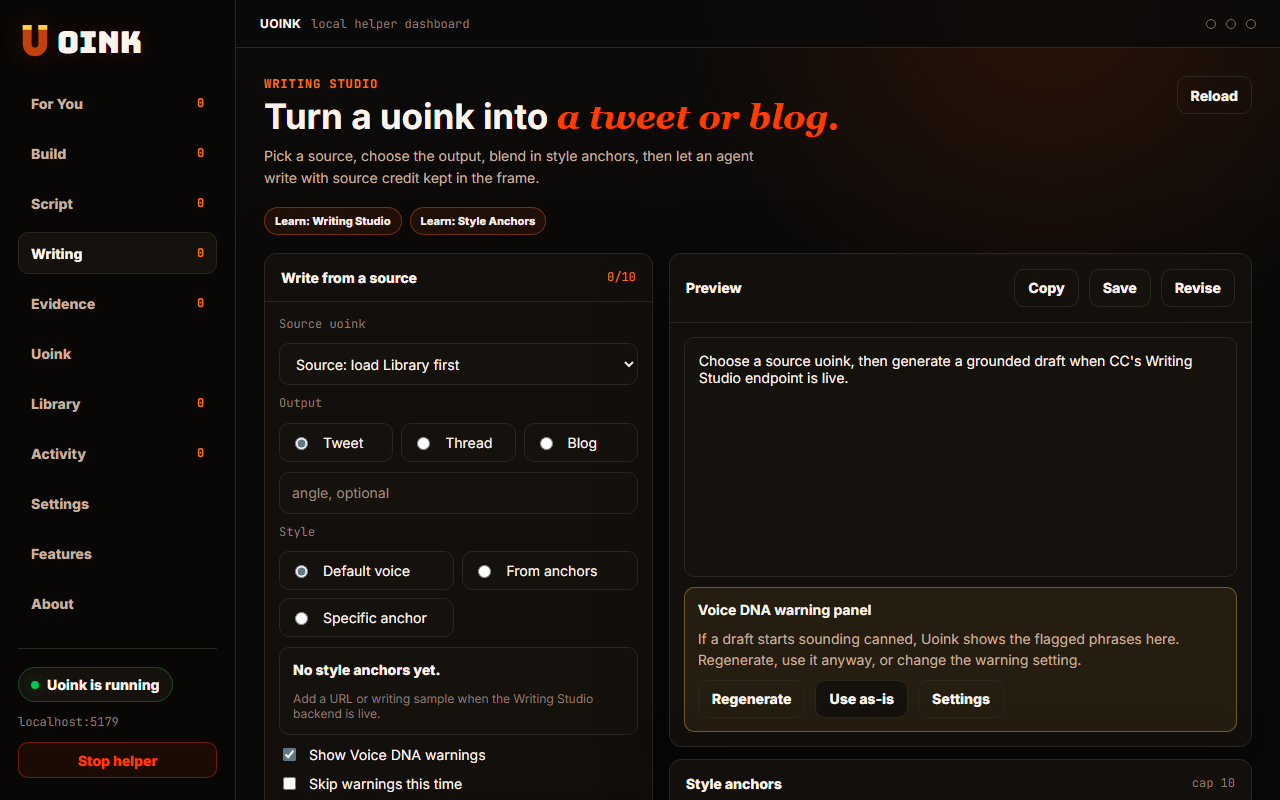
The user-facing part.
Train the helper on your voice. You add and manage up to ten style anchors using Substack URLs or raw text files. The helper analyzes these references to guide the tone of your generated scripts and posts. This keeps your output matching your personal writing style, avoiding generic AI marketing phrasing.
Run the loop.
- Open the Writing tab and look for the Style Anchors section.
- Click Add Anchor to open the form.
- Paste a Substack URL or type a text sample.
- View the extracted prose preview and click Save.
- Toggle active status for your anchors before generating a draft.
How Uoink handles it.
When you provide a Substack URL, the helper fetches the page content using the local crawler. It strips HTML to extract your prose style and saves it locally. When generating drafts, the helper includes these style anchors in the prompt, directing the model to analyze and match your writing patterns.
Agent-readable surface.
add_style_anchorlist_style_anchorsremove_style_anchorFull server metadata lives at /mcp and /mcp/manifest.json.
Run it on your next source.
Add your style anchors to ensure your AI assistant matches your tone.