Features / Workspace
in flightWorkspace assembly
Assemble a local markdown corpus from multiple video sources for a project workspace.
 in flight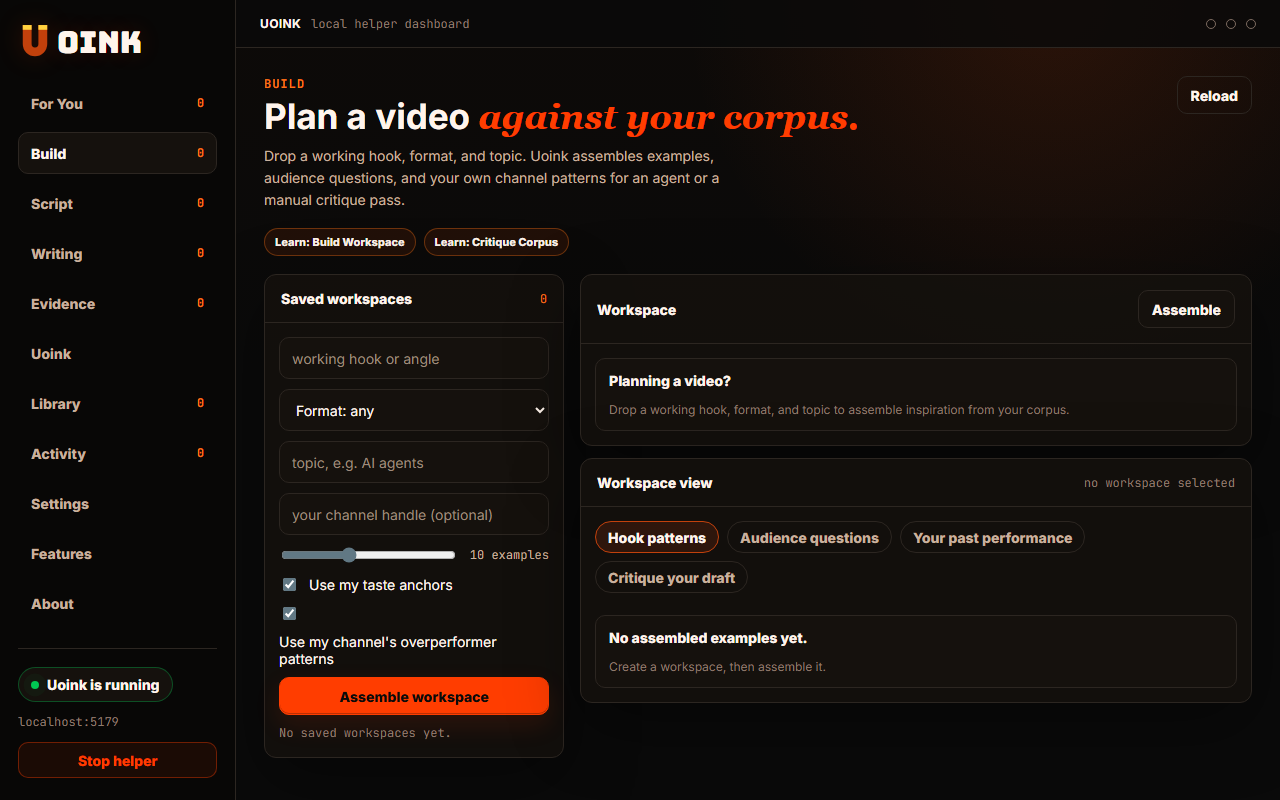
The user-facing part.
Build a workspace for your writing projects. You select multiple captures from your library and group them into a workspace folder. The helper compiles transcripts, comments, and citation anchors into one project corpus. This organizes your source material, making it easy to paste into Claude or open in Obsidian.
Run the loop.
- Open the Build Workspace tab in the dashboard.
- Select the video cards you want to include.
- Click Assemble Workspace to compile the sources.
- Name your workspace folder.
- Open the folder to view the compiled markdown corpus.
How Uoink handles it.
The helper reads the selected document files from your local storage. It extracts the content blocks and references, merging them into a unified project file. The helper writes the compiled file to a project directory under your Uoink path, updating the SQLite index to track the relationship between source documents and the new workspace.
Agent-readable surface.
build_workspacesearch_uoinksFull server metadata lives at /mcp and /mcp/manifest.json.
Run it on your next source.
Assemble your references into a clean workspace to start your next project.