Features / Library
plannedResurface for you
Discover forgotten insights in your video library with personalized local resurfacing cards.
 planned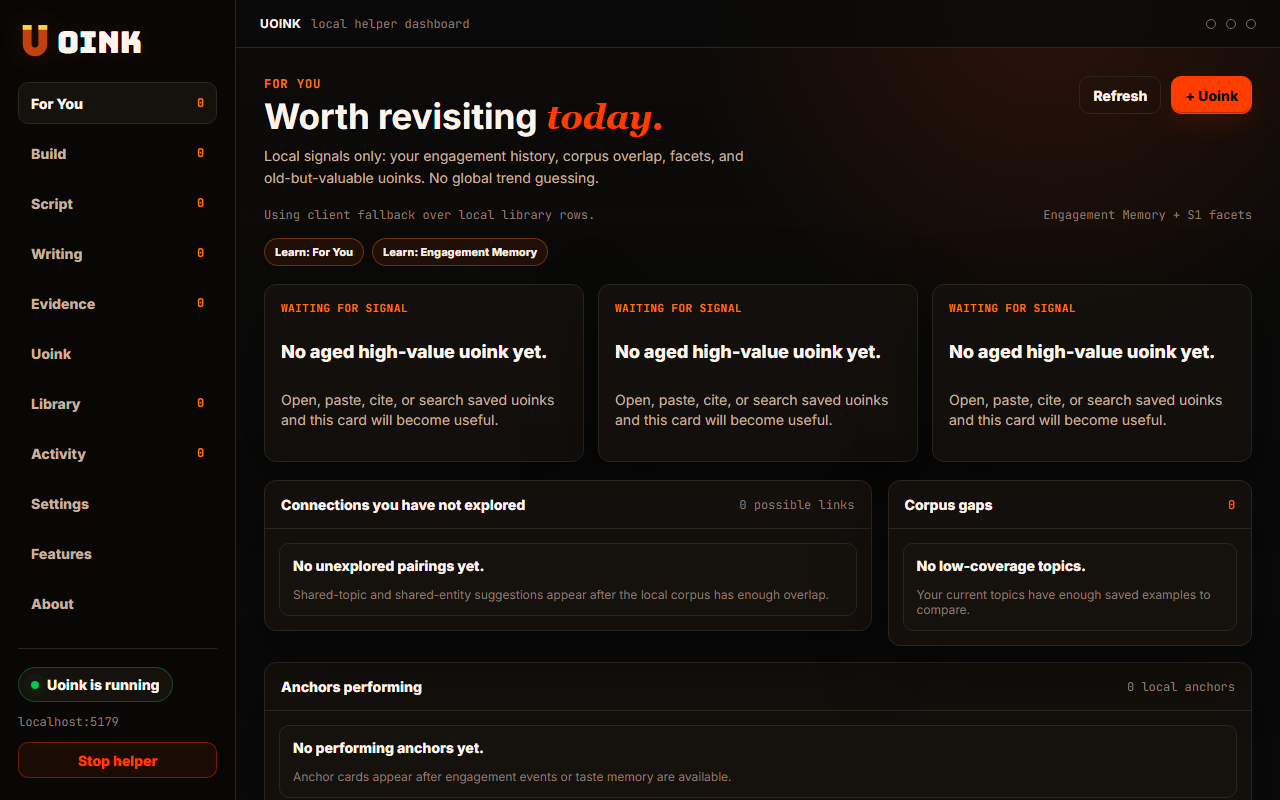
The user-facing part.
Rediscover forgotten insights in your library. The For You tab displays past captures based on your research habits. It surfaces videos that you saved but have not opened recently, helping you find links between older files and current writing projects. The selection logic runs on your computer without tracking your reading habits.
Run the loop.
- Open the Uoink dashboard and click the For You tab.
- Browse the daily selection of resurfaced video cards.
- Review the summary of key concepts on each card.
- Click Open corpus to view the markdown file.
- Tap the shuffle icon to generate a new list.
How Uoink handles it.
The helper executes a local query that examines file modification dates, search frequencies, and open counts in the SQLite database. It selects a mix of older, highly-rated captures and recent unread files. The dashboard renders these selections locally, protecting your research logs from being sent to external analytics tools.
Agent-readable surface.
list_recent_uoinkssearch_uoinksFull server metadata lives at /mcp and /mcp/manifest.json.
Run it on your next source.
Open the For You tab to bring older research back into your workflow.